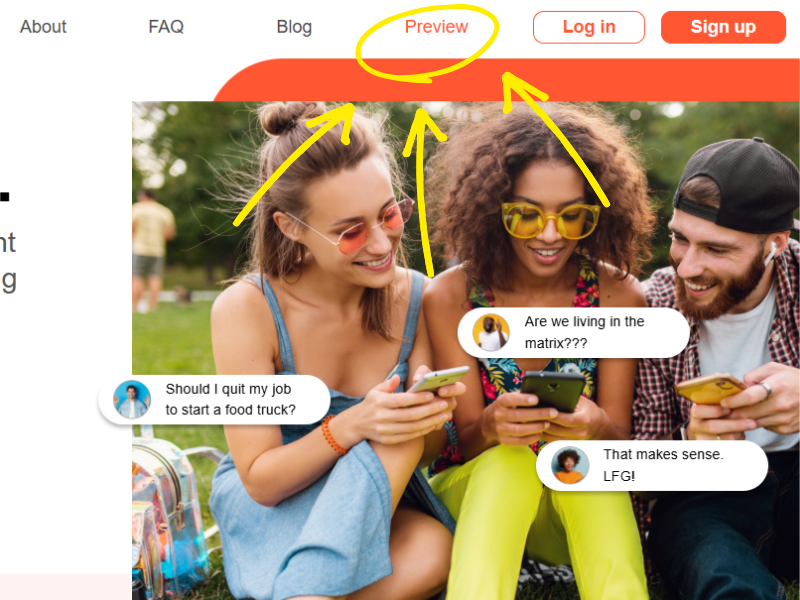
At WSID, transparency isn’t a marketing angle; it’s a core principle. Every feature is designed to help people make clearer decisions, and that includes how we introduce new users to the platform. We’re excited to roll out a new addition to the WSID home page: the Preview button.
This feature gives visitors a real look inside WSID before they create an account. And while the home page itself will be getting some updates in the coming weeks, the Preview experience is ready now.

Why a Preview Button? Because Transparency Matters
Most social platforms hide everything behind a login wall. You can’t see the community, the content, or the experience until you hand over your email and commit.
WSID is built on the idea that people make better decisions when they have more clarity, so it only makes sense that we apply that same philosophy to the platform itself. The Preview button lets anyone explore the platform before signing up, giving them a sense of how WSID works and what the community feels like.
You shouldn’t have to guess what you’re joining. You should be able to see it.
What You Can Do in Preview Mode
Preview mode opens up a large portion of WSID to new visitors. You can:
-
Browse questions on WSID
-
Explore detailed user profiles
-
See trending topics and discussions
-
Understand the Ask → Vote → Decide flow
In other words, you get to experience the heart of WSID without needing an account.
You will not be able to ask questions or vote on polls in Preview Mode because these are the functions that shape the community and influence results. But everything else is open, visible, and accessible.
Why This Matters: A More Honest Onboarding Experience
We’re not the first platform to take this approach. Bluesky, Threads, Reddit, and Quora all allow some level of browsing before signing in. It’s a proven pattern that helps users understand a platform’s value before committing.
For WSID, it’s even more important.
Our mission is to reduce noise, increase clarity, and help people make better decisions. A transparent onboarding experience reinforces that mission. When users can see the platform in action, they understand immediately what makes WSID different: the simplicity, the focus, the honesty of the community.
What’s Next: A More Polished Home Page
We are still tweaking the Preview mode to make it more intuitive. We’re also working on a series of updates to the WSID home page. These changes will (hopefully) make the page more visually appealing, more intuitive, and more aligned with the product’s identity.
These updates will roll out soon, and the Preview button is the first step in that direction. More to come; hopefully the mobile app will come out before 2028. 😜